
WCVB Newscenter 5 - Boston
HTVMA Solutions, Inc.News & Magazines
4.7965.00 Reviews
- Version
- Varies With Device
- Installs
- 100.00K
- Age Rating
- Everyone
Screenshots
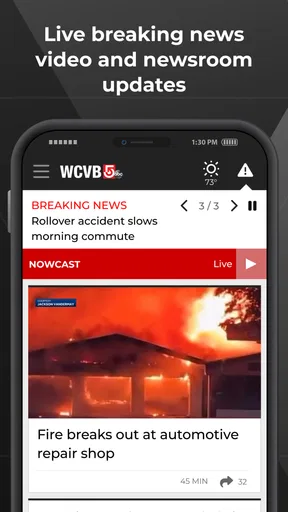
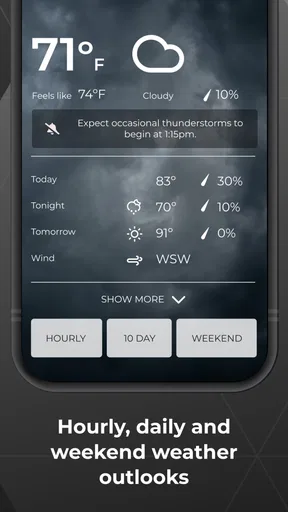
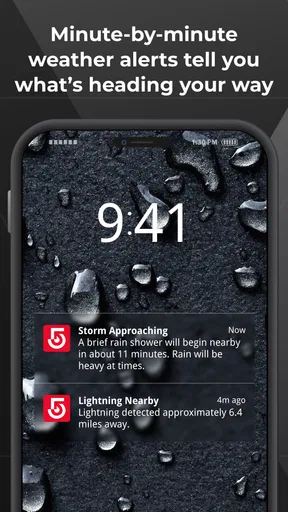
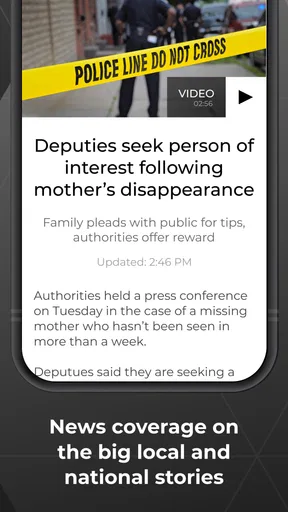
Our Review of WCVB Newscenter 5 - Boston
 Analysis by Appyee
When I want local news rather than a national feed filled with stories that do not affect my day, I look for something focused on the Boston area. WCVB Newscenter 5 takes that approach, bringing together local reporting, breaking-news coverage, live newscasts, and weather information in one free news and magazine app. After spending time with it, I found its main strength easy to understand: it is designed for people who want to keep up with Boston without constantly sorting through unrelated headlines.
The app comes from HTVMA Solutions, Inc. and is available for everyone at no cost. It has been around since May 15, 2012, which gives it a much longer history than many short-lived local-news tools. Its average rating is 4.7 from around 3.8 thousand ratings, and it has passed 100 thousand installs. Those figures suggest that it has built a dependable audience, although popularity alone does not tell me whether it fits every reader’s habits.
How the app feels to read and navigate
I find the reading experience most useful when I treat it as a quick local check-in, not an endless feed: I can look for Boston developments, then decide whether a full report or live coverage is worth my time. That distinction helps keep a news app from taking over a spare moment. It also sets up the next question: how the app’s local-first approach works when I have a specific task in mind.
A local-first layout that reduces unnecessary searching
The first thing I appreciate is the clear editorial focus. A general news app may offer more topics, but that wider selection can make local information harder to find. With this app, the purpose is narrower and more practical: check what is happening around Boston, see the latest weather situation, or watch a live newscast when reading a headline is not enough.
That focus can be especially useful during a busy morning. I can imagine opening the app while preparing to leave home, scanning local headlines, checking weather updates, and deciding whether I need extra travel time. The value is not just that the information is local; it is that the app gives local information priority instead of treating it as one small section among national politics, entertainment, finance, and international stories.
For readers who prefer a quick glance, the experience is easier to understand than a newspaper-style app with many competing menus. The main categories naturally answer common questions: what is happening now, what is the weather doing, and can I watch coverage instead of reading it? That makes the app approachable for someone who does not want to learn a complicated news platform.
Readable for quick checks, but not a replacement for every news format
I find the app most comfortable when I use it in short sessions. Local headlines are easier to process when I am checking for a developing story or looking for a practical update. The design is built around news consumption rather than long-form research, so I would not choose it as my only source for deep background on a complicated issue.
This distinction matters for readability. A focused local feed can reduce cognitive load because I am not constantly deciding which national or international stories to ignore. At the same time, anyone who wants extensive context, archives, or a broad range of viewpoints may find the experience limited compared with a full newspaper app or a web browser.
I also recommend reading beyond the headline when a story affects an important decision. Breaking-news titles are useful for awareness, but they are not always enough to understand changing details. My practical routine would be to use the opening screen for discovery, then spend a little longer with the complete report before sharing it or acting on it.
Useful for readers with different levels of technical confidence
The app’s local purpose makes it suitable for people who may feel overwhelmed by large news platforms. A family member who only wants Boston coverage does not need to configure a complicated collection of sources. A commuter can use it as a quick check-in tool, while someone who follows local developments closely can return throughout the day.
That simplicity can also help readers who are new to mobile news. Instead of learning several unrelated services, they can start with one recognizable local source. I would still encourage new users to spend a few minutes exploring the available areas rather than assuming the first screen contains everything. Local coverage, weather, and live video serve different needs, and the best workflow depends on whether I am checking a headline, preparing for conditions outside, or following an ongoing event.
Small habits that make the reading experience better
One useful habit is to separate urgent checking from relaxed reading. When I need immediate awareness, I look at the newest local items and weather information first. When I have more time, I return to the story itself and compare the headline with the details. This prevents the app from becoming a source of hurried conclusions.
Another practical approach is to use live newscasts selectively. Video is valuable when a situation is developing or when visual explanation adds something that text cannot. For a simple update, reading is usually faster and less demanding. Choosing between those formats based on the situation makes the app more efficient, especially for people who have limited time or attention.
Motor and sensory considerations during everyday use
From an accessibility perspective, a local news app should work in more than one setting: at a desk, on a bus, in a noisy kitchen, or during a quick pause outdoors. This app’s combination of written coverage, weather updates, and live newscasts gives me different ways to approach the same general need. I can read when audio would be disruptive, or watch coverage when reading is inconvenient.
That flexibility is meaningful for people with different sensory preferences. A reader who finds continuous video tiring can stay with text. Someone who struggles to absorb a dense written update may prefer a newscast. Someone in a noisy environment may need captions or written reporting to follow the story comfortably, while a person who cannot look at the screen for long may prefer the broadcast format where available.
I am careful not to treat those options as a guarantee of perfect accessibility. The app’s usefulness for a particular person will depend on how its text, controls, video presentation, and device settings work together. Still, having both written and live formats is more inclusive than forcing every reader into one method.
Motor comfort also depends on how much tapping and scrolling a person can manage. The focused purpose helps here because I am not required to navigate a huge collection of unrelated services. A reader with limited dexterity may benefit from choosing one clear task at a time: open local coverage, check weather, or start a newscast. Keeping the workflow simple reduces unnecessary movement.
On the other hand, mobile news is still a screen-based activity. Someone with tremors, fatigue, or difficulty making precise selections may find any fast-moving news interface demanding. I would recommend using the phone’s own display, text-size, contrast, and interaction settings where helpful, rather than expecting the app alone to solve every access need.
Situational access: when the app earns a place on my phone
The strongest everyday scenario is a Boston-area morning when plans depend on local conditions. I can check the latest coverage before leaving, look at the weather information, and then return later if a developing story changes the situation. That is more useful than opening a national news app and searching manually for the city each time.
Another good situation is following local coverage while doing a routine task. A live newscast can be more convenient than repeatedly refreshing text, particularly when I want a sense of how a story is being presented in real time. However, I would not use video automatically. If I am in a quiet workplace, sharing a room, or trying to conserve attention, written coverage is the better choice.
The app can also suit people who have moved away from Boston but still care about the area. Local reporting keeps the focus on the community rather than forcing those users to reconstruct a regional view from broad national services. For relatives checking on local developments, that concentration can be reassuring and practical.
It is less compelling for someone who wants a single app covering several cities, international news, financial markets, or specialized subjects. In that case, a broad news aggregator may be more efficient. The trade-off is straightforward: this app gives Boston a stronger center of attention, while a general platform offers more variety.
Where it compares well with usual alternatives
Compared with a national news aggregator, the app feels less cluttered for Boston-specific needs. Aggregators are useful when I want many perspectives or a wide range of subjects, but they can bury local items beneath popular national stories. This app reverses that priority, which is exactly what I want when the question is “what is happening here?” rather than “what is trending everywhere?”
Compared with visiting a mobile website, the dedicated app is more convenient for repeated checks. I do not have to begin with a browser tab or remember which section contains the local material. The app is also more naturally suited to moving between written coverage, weather updates, and live broadcasts.
Compared with television alone, it is more flexible for short sessions and private use. I can read a report without occupying a room with sound, then choose live coverage when video is more useful. Television may still be better for someone who prefers a large screen or wants a traditional scheduled-news routine.
Compared with social media, the app offers a more deliberate starting point for local information. Social platforms can surface eyewitness material quickly, but they also mix commentary, repetition, and uncertain claims. I would rather use this app for an initial report, then use other sources only when I need additional perspectives or confirmation.
Remaining barriers and honest limitations
The biggest limitation is scope. A focused Boston news app is not a complete replacement for a broad news service. If my interests change from local events to national policy, science, culture, or international reporting, I need another source. That is not a flaw in the app’s central purpose, but it does affect whether it deserves to be my only news tool.
Breaking coverage can also be demanding. News changes quickly, and readers who need a complete timeline may have to revisit a story rather than expect one visit to answer everything. I would avoid treating an early headline as the final word, especially when the situation is still unfolding.
Live video introduces its own barriers. It may not suit every connection, environment, attention span, or sensory preference. A person who needs quiet, has limited data, or cannot comfortably watch a screen for long will probably rely more on written reports. The ability to choose text or video helps, but it does not make both formats equally suitable for everyone.
There is also a difference between being easy to understand and being fully adjustable for every ability. The app’s focused structure supports straightforward use, but individual needs vary widely. People who depend on highly specialized navigation, extensive customization, or a particular assistive workflow should test it with their own device settings before making it their primary news source.
Finally, local relevance is personal. Boston coverage may be ideal for residents, commuters, families, and people with continuing ties to the area. For someone living elsewhere with no connection to the region, the narrow focus will feel less useful than a city-wide or national alternative. I would not install it simply because I want “news”; I would install it because I want Boston news.
Who I would recommend it to
I would recommend it to Boston-area readers who want a direct way to check local headlines, weather information, and live newscasts without sorting through a general-purpose feed. It is particularly suitable for people who prefer short, practical news sessions and appreciate having written and broadcast formats available in the same place.
I also think it is a reasonable starting point for older relatives or less confident smartphone users who want local information without managing several complicated services. The focused subject matter gives the app a clear purpose, and that clarity can be more valuable than a long list of features.
I would suggest looking elsewhere, or using it alongside another service, if I needed extensive national coverage, multiple regions, deep specialist reporting, or a highly customizable reading environment. Users with specific accessibility requirements should also evaluate the actual controls and presentation on their own phone rather than relying on the app’s general simplicity.
My inclusive verdict after regular use
WCVB Newscenter 5 succeeds because it understands a real need: local news is most useful when it is easy to reach at the moment I need it. Its free access, everyone age rating, Boston-centered coverage, weather updates, and live newscasts make it a practical companion for everyday awareness. The app’s strongest inclusive quality is its choice of formats, letting me move between reading and watching depending on my surroundings and preferences.
It is not perfect for every ability or every news habit. Video may not work for everyone, fast developments require careful reading, and the local focus will feel restrictive to people seeking a wider information diet. Even so, I find the trade-off sensible. If Boston is the place I need to understand, this is a focused and approachable news app worth trying.
My final recommendation is to use it as a local anchor rather than as the only source on a phone. Start with the written coverage for quick checks, turn to weather information when planning the day, and choose live newscasts when real-time presentation adds value. Used that way, the app feels less like another stream to monitor and more like a practical tool for staying connected to Boston.
Verdict
Strengths of WCVB Newscenter 5 - Boston
- Live local coverage keeps Boston-area users informed as news happens.
- Weather forecasts and alerts are useful for planning commutes and daily activities.
- Video reports make major stories easier to follow than text-only updates.
- Breaking-news notifications can deliver important updates quickly.
- Coverage includes local communities, not just major national headlines.
Limitations of WCVB Newscenter 5 - Boston
- Frequent alerts may feel excessive unless notification settings are adjusted.
- Some video content may require a stable connection and use significant mobile data.
- Advertising can interrupt browsing and make articles feel less streamlined.
- Coverage is highly focused on Boston and may have limited value elsewhere.
- Some stories may load slowly during major breaking-news events.
Other Releases by HTVMA Solutions, Inc.
View All
Gulf Coast News - Fort Myers
News & Magazines3.5

KOCO 5 News and Weather
News & Magazines4.6
Similar Picks in This Category
View All
Google News - Daily Headlines
Google LLC4.0

X
X Corp.4.8

Flipboard:Your Social Magazine
Flipboard3.4

Opera News: breaking & local
Opera4.5

Hindi News by Dainik Bhaskar
Dainik Bhaskar Group4.0

Way2News Daily News App
Way2News ( Formerly Way2SMS )4.6
Frequently Asked Questions
What is WCVB NewsCenter 5 – Boston?
WCVB NewsCenter 5 is the official mobile news app for Boston and surrounding Massachusetts communities. It provides access to local and breaking news, weather forecasts, live newscasts, traffic information, investigative reports, sports updates, and video content. The app is designed for users who want quick access to news from WCVB-TV while traveling or away from a television.
What type of news and information does the app provide?
The app covers a broad range of Boston-area topics, including local headlines, politics, crime, community stories, health, education, business, entertainment, and sports. It also includes weather forecasts, radar views, severe-weather alerts, traffic updates, and live video when available. Coverage may vary depending on current events and your selected location settings.
Does WCVB NewsCenter 5 offer live streaming and breaking-news alerts?
Yes, the app may provide live streaming of WCVB newscasts, special reports, and other news coverage when streaming rights and broadcast schedules allow. Users can also enable push notifications for breaking news, severe weather, traffic incidents, and important local updates. Notification categories and availability can vary by device, location, and the station’s current programming.
Is WCVB NewsCenter 5 free to download and use?
WCVB NewsCenter 5 is generally free to download and use on compatible Android and iOS devices. Most news articles, forecasts, alerts, and videos can be accessed without a subscription, although mobile data charges may apply when using cellular networks. Some content may include advertising, and certain live or third-party features could be subject to availability.
Does the app require location access, and can I customize the experience?
Location access is useful for receiving weather forecasts, radar information, and alerts relevant to your area, but you can typically manage this permission through your phone’s settings. The app may allow you to select preferred locations, follow local coverage, and control notification preferences. Reviewing these settings after installation helps prevent unwanted alerts while keeping important updates enabled.
